
Google Sheets or a net worth app? Compare the workflow
Google Sheets or a net worth app: which should you use?
Use a spreadsheet when you want control over formulas and custom models. Use a dedicated app when your priority is a repeatable balance-sheet check with dated values. Both need accurate balances and consistent valuation dates.
iPhone & iPad · Free tier · Optional Premium
A fictional four-entry balance sheet. Net worth is assets minus liabilities; it is not the cash available to spend.
By Wealth Watcher · Updated . This is our own product comparison, not an independent ranking. App features refer to the released version described in our product facts.
Choose for your routine
What changes when you use an app?
| Your task | A spreadsheet you maintain | Wealth Watcher |
|---|---|---|
| Update balances | Enter balances in rows; maintain formulas and date columns. | Enter dated asset and debt values; review built-in totals and history. |
| Use several currencies | Record each original value, conversion rate and common-currency value consistently. | Keep each entry’s currency and choose a display currency. FX changes can affect the total. |
| Track a collection | Sum individual items; exclude a duplicate collection total. | Keep individual items inside one collection entry. Supply your own valuations. |
| Choose FI funding assets | Add a selection column and a separate total. | Select assets for a goal while keeping the full net-worth view. |
| Custom models | Build your own tax, spending or investment models. | A balance-sheet and goal tracker; not a tax model or transaction-reconciliation tool. |
| Accounts and storage | Google Sheets uses a cloud account. Excel can use local files or cloud storage, depending on your setup. | Uses an authenticated cloud account. No bank connection required; not local-only storage. |
| Moving data | Keep and export your workbook; formulas and formatting may not survive CSV export. | Portfolio export is available. Excel/CSV import is not in the current App Store release. |
| Cost and access | Depends on the spreadsheet product and plan you already use. | iPhone and iPad, with a limited free tier and optional Premium. Check current limits and regional prices in the app. |
Keep the spreadsheet if its custom calculations are central to your routine. Try the app if your main job is updating what you own and owe, then reviewing its history. Neither approach makes an old estimate more accurate.
Try the same numbers
Start with a Google Sheets net worth template
Download the free CSV template ↓
The template is a blank worksheet you can import into Google Sheets or open in Excel. It contains columns for assets, liabilities, original and base currencies, dates, sources and notes. It does not contain live prices or automatic currency conversion.
- Keep the header row. Fill one row per asset or debt, entering debts as positive amounts. Choose one base currency and valuation date.
- Enter original balances in column E and their values in your common base currency in column G. If the currencies match, copy the value. Otherwise use a dated exchange rate and record its source.
- For the template’s original rows 2–15, put
=SUMIF(A2:A15,"Asset",G2:G15)-SUMIF(A2:A15,"Liability",G2:G15)in a cell outside the data range. Some spreadsheet locales use semicolons instead of commas; extend the ranges if you add rows. - Try €15,000 cash, €25,000 investments, a €9,000 collection and a €12,000 loan. The result should be €37,000. This is the same fictional balance sheet shown above.
- Save a dated copy or duplicate the sheet before the next update. The CSV alone does not preserve tabs, charts or a history of edits.
Formula reference: Google Sheets SUMIF documentation.
Then enter the same four balances manually in Wealth Watcher if you want to compare the workflow. Downloading this CSV does not import it into the app. Follow the monthly net-worth update example to reconcile your next check-in.
A practical checklist
How do I choose a net worth tracker without connecting my bank?
Choose one that lets you record manual balances, preserve dates and include the assets your bank does not show. Check its account and storage requirements separately: manual entry does not necessarily mean offline or private to one device.
- Coverage: can you include all debts, your home, pensions and collections without double-counting?
- History: can you distinguish when a value was recorded from when it was last checked?
- Currencies: can you keep the original balances and understand changes in the combined total?
- Portability and cost: can you export your record, and does the free tier cover the number of entries you need?
- Fit: do you need periodic balances, or automatic transactions and spending categories? These are different jobs.
Wealth Watcher supports manual assets, debts, collections and dated history. It does not connect to a bank feed, automatically appraise possessions or calculate investment performance from balance changes. Read the privacy policy and product limitations before choosing.
For planning, also ask whether a tracker can distinguish total wealth from the assets selected to fund a goal.
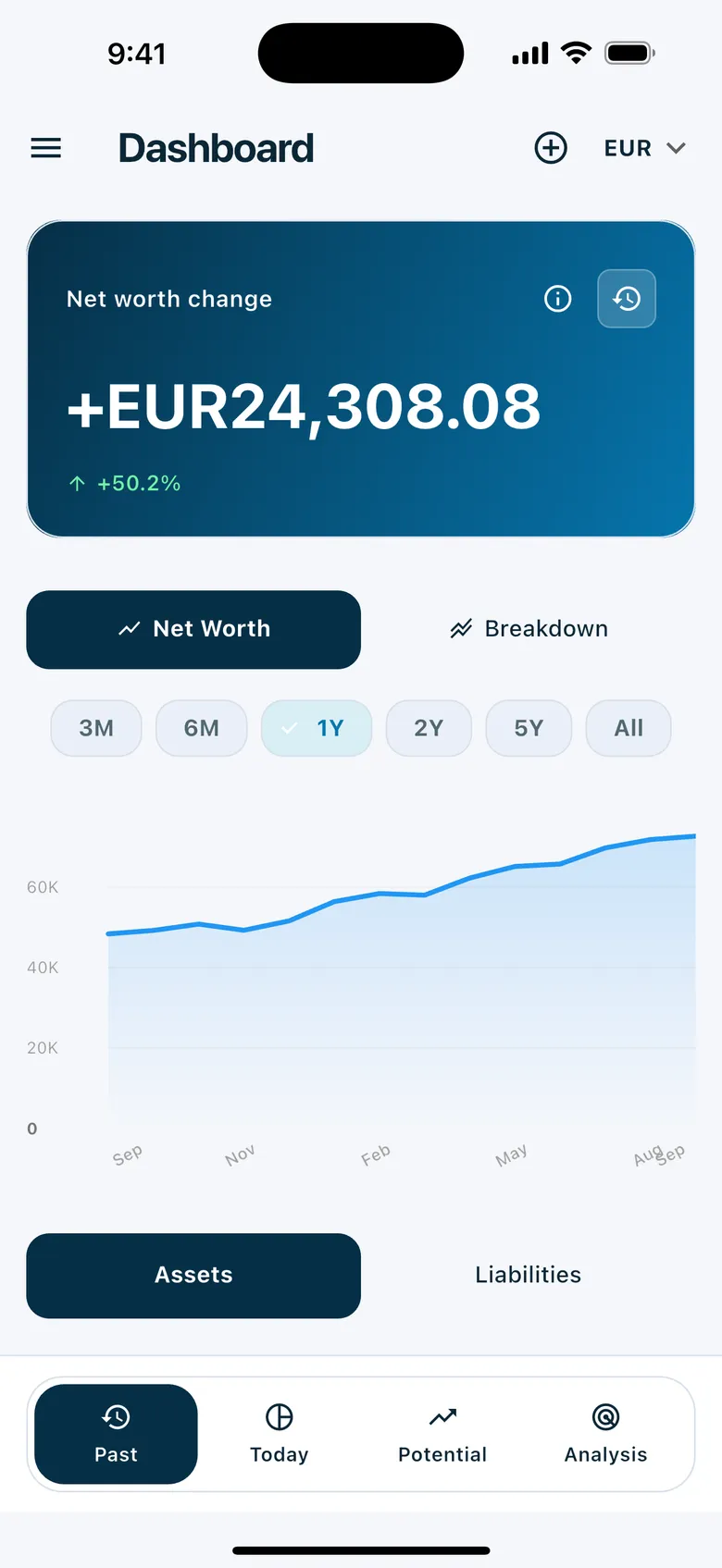
Your first check-in
Move your monthly net worth check to iPhone
Choose a starting date
Keep your workbook as a reference. Use balances from the same date where possible, so an old loan balance is not mixed with today’s savings.
Enter what you own and owe
Manually add assets and liabilities with their currencies. Compare the first total with your workbook; check for missing debts or duplicate assets if the totals differ.
Repeat the check next month
Record new dated values and review the history. Keep notes or custom calculations in your workbook when you need more detail than a balance sheet provides.
Start on paper first with the free balance-sheet guide and CSV template. File import is not available in the current App Store release.
Move beyond a spreadsheet
Start with the latest balances.
You do not need to rebuild years of spreadsheet history to begin. Start with a few current assets and debts, use the relevant currency for each, and record their values. Keep your original workbook as your reference.
Move beyond a spreadsheet
Make the next update easier.
Add dated values as your balances change, then review your history and allocation in the app. Keep watches or other individual pieces inside one collection entry. A balance change can include deposits, withdrawals and revised estimates; it is not automatically an investment return.
Move beyond a spreadsheet
Keep a spreadsheet when you need one.
A workbook may still be the better tool for custom tax calculations, transaction reconciliation or specialised models. Wealth Watcher focuses on your personal balance sheet and goals, not replacing every financial spreadsheet you own.
Before you start
A few useful answers
Can I upload my existing Excel or CSV file today?
Reviewed Excel/CSV import is in development and is not in the current App Store release. The current app uses manual entry. The first planned importer focuses on creating new entries after your review, not merging any workbook automatically.
Can I try the idea before downloading?
Yes. Use the interactive example portfolio on this website without signing in. You can also download the free balance-sheet CSV template from our guide.
More ways to see your wealth
Make your next wealth check a little simpler
Start with a few assets and debts. No bank connection required. Explore the free tier; subscription details and limits are shown in the app.
Download on the App Store